Start with the pneumatic functions your router actually uses
Not every CNC router needs a large compressor, but any machine with pneumatic clamps, tool release, dust blast or automatic tool changing needs stable air. The first step is to list every air-driven function on the machine and note when it operates. A simple router with manual clamping may need very little. A production cell with a tool changer and air blast can need steady flow all day, not just a high pressure reading at start-up.
In practice, many workshops think only about tank size and forget volume. Pressure without flow is not enough. If the compressor cannot keep up while the machine is cycling, the pressure at the machine drops and the operator starts waiting for clamping or tool change functions to recover. That slows production and can leave parts half-processed, which is never ideal when a load of jobs is lined up.
Match compressor size to the machine, not to guesswork
Before you buy or relocate a compressor, check the machine specification and count every pneumatic load. Ask for the required working pressure, average air consumption and peak demand during clamp release or tool change. Then add a sensible allowance for leaks, hose losses and a bit of future growth. In a busy Germiston workshop, that small allowance is often the difference between stable running and constant nuisance faults.
- Confirm the machine pressure requirement in bar or kPa.
- Check peak air use during tool changes, clamp movement and purge cycles.
- Allow extra capacity for ageing hoses and minor leaks.
- Plan for all shifts, not only the first hour after start-up.
- Keep the compressor close enough to reduce long pipe runs.
If you are running multiple machines from one air line, the total demand must be calculated as a system. A single compressor can support more than one router, but only if the receiver, piping and regulator layout are sized properly. Otherwise one machine steals air from the other and the operator ends up chasing pressure problems instead of cutting parts.
Use dry, clean air for better machine life
Compressed air is never just air. In many South African workshops it also carries moisture, oil mist and dust. On the coast, humidity makes water in the lines a regular problem. In winter, temperature changes can pull condensation into the pipework overnight. That moisture can affect valves, seals and sensitive pneumatic parts, and in cold mornings it may show up as sluggish movement or inconsistent clamping.
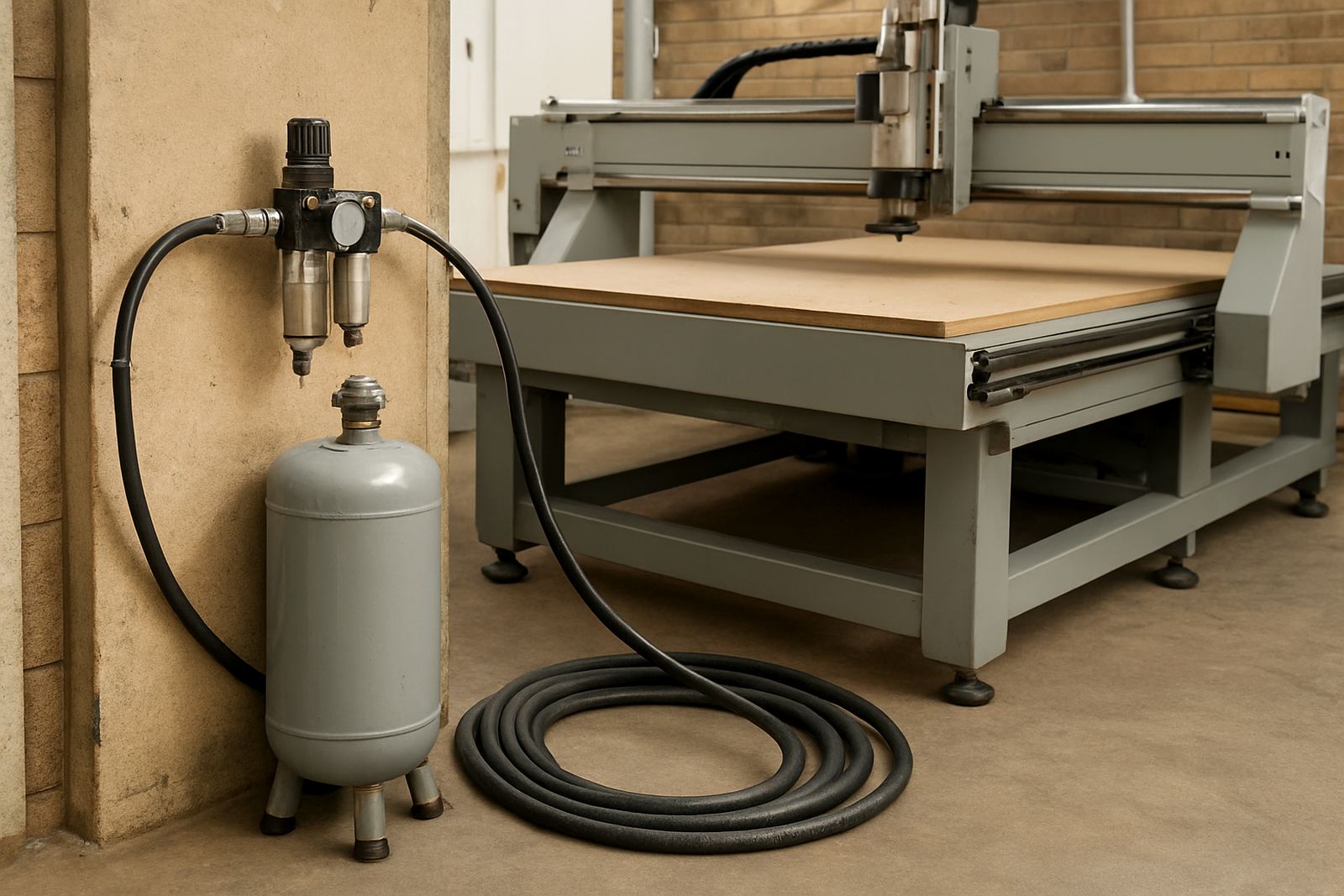
For that reason, the air line should include proper filtration and, where needed, drying. Drain the receiver tank often, especially in humid conditions. Fit water traps where the line drops low or before the machine entry point. If your workshop has a dust extraction system running nearby, keep the compressor intake in a clean, cool area so it does not breathe workshop dirt all day.
- Drain the tank daily in wet weather or humid areas.
- Check filters before long production runs.
- Inspect hoses for cracking, soft spots and loose fittings.
- Keep intake air away from cutting dust and solvent fumes.
Plan the pipework like part of the machine install
A compressor in the corner is only useful if the pipework between it and the CNC machine is sensible. Long runs, small bore pipe, too many bends and quick-fit fittings with restrictions can all reduce usable air at the machine. If the workshop layout is tight, use a proper main line with take-off points rather than a patchwork of hoses crossing the floor.
For machine installation and relocation, this is worth planning before the router arrives. It is easier to position the compressor, receiver and line drops once than to move them after the first week of production. In some Gauteng workshops, power outages and load-shedding also affect the restart routine, so the compressor should have a practical start-up sequence and enough recovery time before the first job of the day.
Check the workshop for leak points before blaming the router
A surprising number of air problems come from leaks, not from the CNC machine itself. A hiss at a coupling, a tired regulator, or a valve that bleeds overnight can leave the compressor running harder than it should. That adds electricity cost and shortens equipment life. If the machine seems slow, do a leak check before replacing parts.
Use this quick checklist during preventive maintenance:
- Listen for constant hissing at valves, couplers and filters.
- Watch the pressure gauge after shutdown to see if it drops fast.
- Check whether the compressor runs more often than it used to.
- Inspect tool release and clamp response under normal load.
- Record the fault before and after maintenance so trends are clear.
Vacuum systems and compressed air are sometimes linked in the same workshop conversation, but they are not the same thing. A machine may have strong vacuum hold-down and still need good pneumatic supply for tool changes or clamps. Treat each system separately when planning service and spares.
Build compressor checks into commissioning and operator training
Commissioning is the best time to confirm that the air supply suits the machine. During handover, test every pneumatic function, note the operating pressure and check how the machine behaves when other workshop loads are running. If the pressure falls during a tool change or clamp action, the issue should be solved before full production starts.
Operator training should include the air system as part of normal start-up. Staff need to know where the drain is, what normal pressure looks like and when to stop and report a fault. A short daily check can prevent a day of lost cutting. For a workshop in Johannesburg, Pretoria East, Midrand or Durban North, that habit is often more valuable than a larger compressor bought in a hurry.
- Confirm air pressure before the first part is loaded.
- Drain water from the tank and line traps as scheduled.
- Keep a record of pressure drops or slow clamp action.
- Report noisy valves, leaks or delayed response at once.
When to call for support before the air problem grows
If the compressor cycles too often, the machine pauses during pneumatic actions, or the air line fills with moisture after rain, get the system checked before damage spreads. A proper review can cover compressor sizing, line balancing, leak checks, controller settings and the way the machine is being used on site. That is often cheaper than replacing worn valves or halting a full production run.
MultiCAM supports machine installation, commissioning, preventive maintenance, vacuum leak checks, controller backups, tooling setup and operator training from Germiston and across South Africa. If your CNC router depends on air, we can help you match the supply to the machine and keep the workshop moving with fewer surprises.