
Why acrylic edge quality changes from one cut to the next
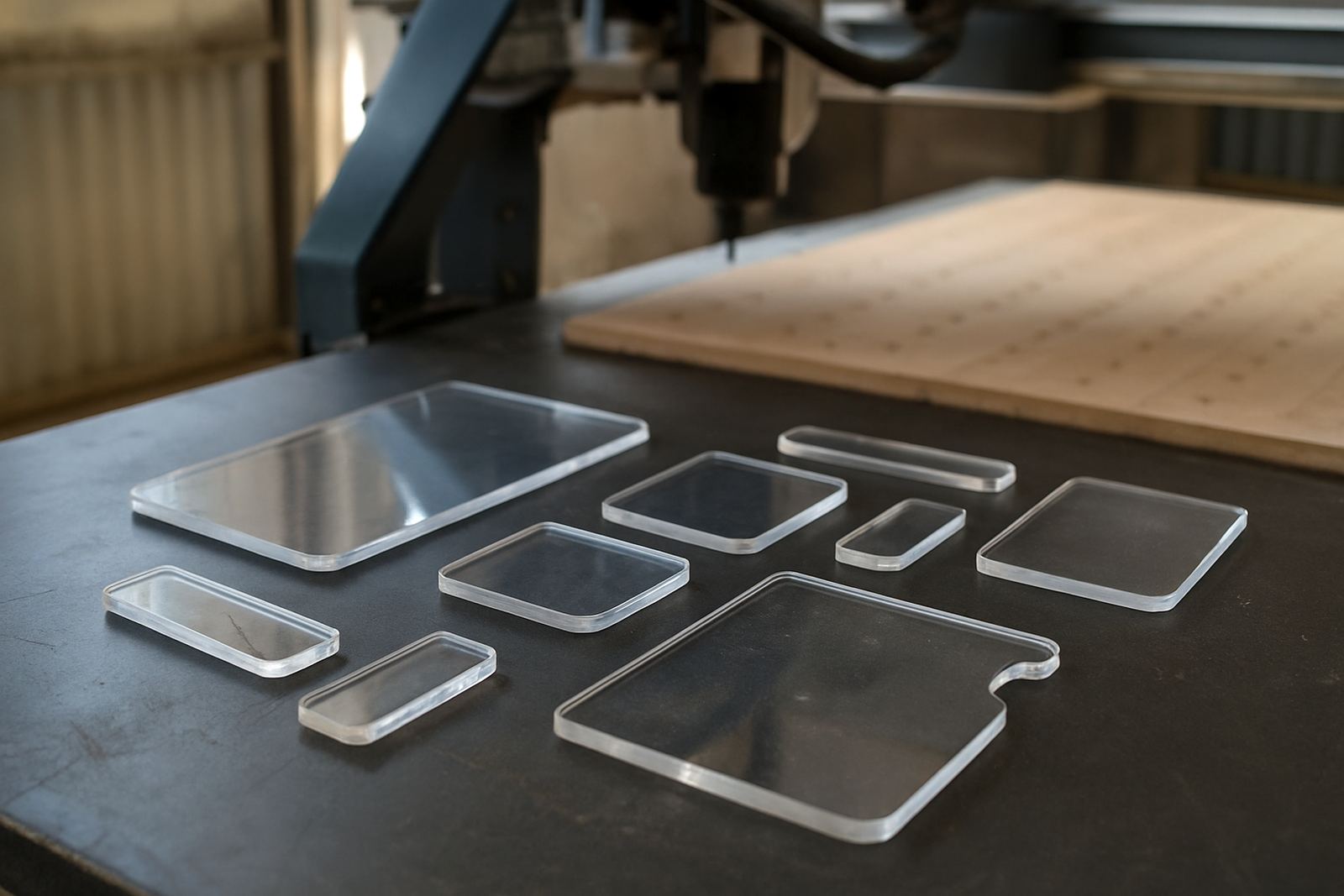
Acrylic can look simple on paper, but it reacts quickly to poor setup. If the cutter rubs instead of slicing, the material heats up and the edge turns white, rough or glazed. If the sheet is not supported properly, the part can vibrate and the edge will chip. That is why two jobs with the same drawing can finish very differently on the same machine.
Most edge problems start before the spindle moves. Sheet condition, hold down, tooling choice and feed rate all work together. In a busy workshop, someone often changes one setting to save time and the finish suffers. The trick is to treat acrylic as a material that wants a clean cut, not a tough cut.
Chip load first, then speed and spindle settings
Correct chip load is the main factor in edge quality. The cutter needs to remove enough material each revolution to stay sharp on the cut, but not so much that the sheet starts chattering or the motor is overloaded. Too little chip load causes rubbing and heat. Too much chip load causes breakout and tool marks.
When setting up a job, work from the cutter size and the material thickness. A small diameter tool on thin acrylic will need different settings from a larger tool on 10 mm sheet. The goal is a steady chip, not fine dust, and a sound that stays even from start to finish.
- Use the correct feed for the cutter diameter and flute count
- Set spindle speed so the cutter slices, not polishes the edge
- Do a short test cut before running full sheets
- Watch the edge colour as much as the cut sound
Support under the sheet stops vibration and breakout
Acrylic needs full support. If the sheet sags between spoilboard channels or sits over an uneven vacuum zone, the cutter can pull it down and leave a rough line along the edge. Small parts are even more sensitive because they can lift as the offcut separates.
On production work, a good vacuum table layout makes a real difference. For smaller workshops, clean spoilboards, properly spaced supports and a flat bed are still essential. If a sheet is bowed from storage, leave it to settle in the workshop before cutting. In humid areas near the coast, material can move more than people expect and that movement shows up at the edge.
- Keep the table flat and clean of chips
- Check vacuum zones for leaks before a long run
- Use suitable hold down for narrow parts and internal cut outs
- Remove warped or badly stored sheets from critical jobs
Heat control is what keeps edges clear instead of cloudy
Heat is the enemy of a clean acrylic finish. Once the edge starts to soften, the cutter can smear the surface and leave a dull line that is hard to polish out. That is why tooling condition matters so much. A worn cutter creates more friction, and a chipped edge can leave a ragged finish even when the settings look correct.
Practical heat control also means clearing chips properly. When chips stay in the cut, they rub back into the edge and trap heat. Dust extraction helps, but the cut itself must also throw chips away cleanly. If a workshop is working through load shedding and the machine is restarted often, confirm the tool path and cooling approach again before continuing the job.
Acrylic edge quality in real Johannesburg production
In Germiston, a sign shop cutting clear acrylic panels for retail displays had a common problem: one job would polish well, the next would show white edges and light chatter on internal corners. The issue was not the drawing. The problem was a mix of dull tooling, uneven vacuum hold and a feed rate that had been copied from another material.
After resetting the chip load, cleaning the table and tightening vacuum leak checks, the finish improved at once. The operator also started running a short sample on each sheet batch because not every supplier sheet behaves the same. That small habit saved time on rework and kept the finishing team from having to sand every edge by hand.
A simple workshop routine for repeatable acrylic cuts
Good acrylic work is not only about machine capability. It is also about a repeatable routine that the whole team follows. When operators know what to check before the cut starts, the workshop gets fewer surprises and less wasted material.
A practical routine for South African fabricators is simple:
- Inspect the sheet for warp, scratches and stress marks
- Check the cutter for wear before every shift
- Confirm feed, speed and depth on a sample cut
- Listen for chatter and stop early if the cut changes sound
- Clean the bed and extraction lines after each run
For teams that run both sign work and furniture parts, keeping acrylic settings separate from wood and plastic jobs also helps. It avoids copying a feed rate that suits MDF but leaves acrylic rough and warm.
When the finish still looks wrong, check the machine not just the file
If the edge keeps looking poor after the basics are set, look wider than the file. Vacuum leaks, spindle runout, incorrect tool clamping and poor controller setup can all affect cut quality. A machine that is slightly out of alignment may still cut, but acrylic will show the problem quickly because the edge leaves very little room for error.
That is why preventive maintenance and operator training matter. A crew that knows how to spot small changes in sound, chip shape and edge appearance can correct a problem before a full nest is wasted. For fabricators working to tight delivery dates, that is worth more than a rushed re-cut at the end of the day.